Smart TV vs Streaming Stick for OTT: Features and Costs
Smart TVs provide integrated streaming apps with direct OTT access, while streaming sticks offer a lower-cost, flexible upgrade that adds smart features to any TV.
Contents
- What are the main differences between a smart TV and a streaming stick for OTT content?
- How do the interfaces of smart TVs compare to streaming sticks like Roku or Amazon Fire TV?
- Are streaming sticks more affordable than buying a smart TV?
- Do smart TVs offer better built-in app support compared to streaming sticks?
- Can I stream Ultra HD content on both smart TVs and streaming sticks?
- How important is voice control and universal search in choosing between a smart TV and a streaming stick?
- What are the limitations with smart TV apps such as undeletable sponsored apps?
- Which streaming devices are compatible with popular OTT platforms like Netflix?
- How easy is it to update or customize the interface on streaming sticks compared to smart TVs?
- Comparison Table: Smart TV vs Streaming Stick for OTT
- Frequently asked questions
- The bottom line
- Sources & methodology
Smart TVs come with built-in streaming capabilities that provide direct access to OTT platforms, while streaming sticks are external devices that add smart features to standard TVs. Streaming sticks tend to be more affordable and customizable, making them a practical option for upgrading existing TVs for OTT content.
What are the main differences between a smart TV and a streaming stick for OTT content?
The primary difference is that smart TVs have streaming features integrated into the television itself, allowing direct access to apps like Netflix and Hulu without additional devices. Streaming sticks, by contrast, connect externally via HDMI and add smart capabilities to regular TVs.
- Smart TVs come with complex operating systems integrating streaming apps and often include features like voice control.
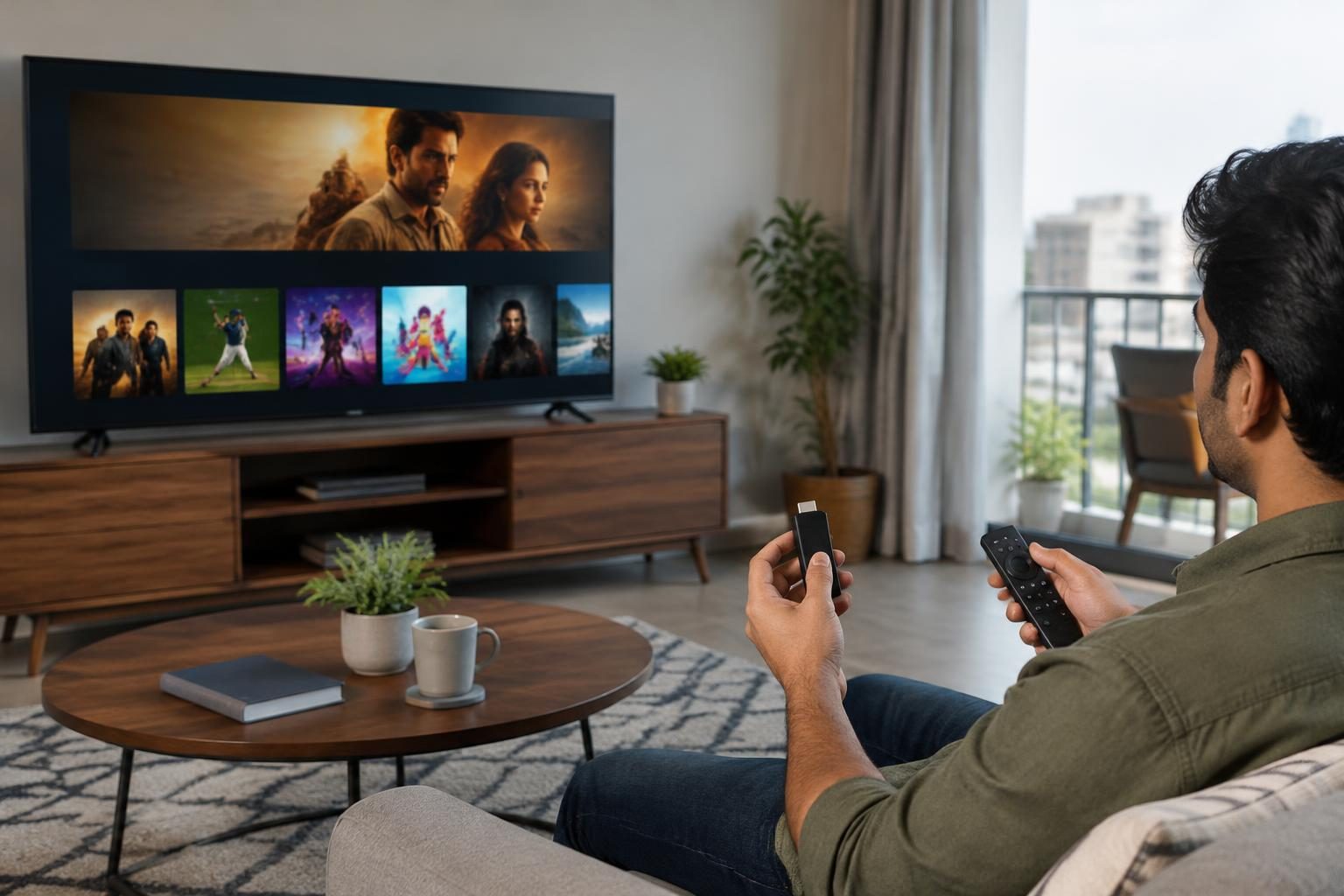
- Streaming sticks, such as those from Roku, Amazon Fire TV, and Apple TV, provide similar OTT access through a standalone device with a dedicated remote.
- Some smart TVs include non-removable sponsored apps that can clutter the interface, while streaming sticks offer streamlined, often customizable user interfaces.
- Streaming sticks are usually less expensive and portable, allowing them to be used on multiple TVs.
According to Consumer Reports, the flexibility and update options of streaming sticks often exceed those of built-in smart TV systems.
How do the interfaces of smart TVs compare to streaming sticks like Roku or Amazon Fire TV?
Interfaces on streaming sticks are generally more user-friendly and customizable compared to many smart TVs. For example, Roku TV smart TVs feature easy-to-navigate menus with universal search, while other smart TVs may include preloaded apps that cannot be removed.
- Streaming sticks from Roku, Amazon Fire TV, and Apple TV use clean interfaces with regular software updates to improve performance and app compatibility.
- Some smart TVs have complex operating systems with sponsored or undeletable apps that can clutter the screen.
- Voice control and universal search are increasingly available on both but tend to be implemented more consistently on streaming sticks.
These differences affect ease of use, particularly for users wanting streamlined content discovery (source).
Are streaming sticks more affordable than buying a smart TV?
Streaming sticks are generally more affordable because they add smart streaming capabilities to an existing TV, avoiding the higher upfront cost of a smart TV that includes advanced display technology.
- Streaming sticks are low-cost devices that connect to a TV's HDMI port and provide OTT access.
- Smart TVs combine display and smart functions into one device, which results in a higher initial price.
- This makes streaming sticks a budget-friendly option for upgrading older TVs.
Consumer Reports notes that streaming devices provide a cost-effective way to add smart features without replacing the television.
Do smart TVs offer better built-in app support compared to streaming sticks?
Smart TVs provide built-in apps for major OTT services such as Netflix, Hulu, Amazon Prime Video, and YouTube, sometimes offering integration features like casting.
- Vizio’s SmartCast smart TVs include Google Chromecast for direct casting from mobile devices.
- Streaming sticks often support a broader app selection and receive more frequent updates, which helps maintain compatibility.
- Smart TVs may include sponsored apps that users cannot uninstall, limiting customization.
Streaming sticks generally offer greater app flexibility and longer-term support (source).
Can I stream Ultra HD content on both smart TVs and streaming sticks?
Yes, both smart TVs and streaming sticks can stream Ultra HD (4K) content if the hardware, internet speed, and subscriptions meet the necessary requirements.
- Netflix supports 4K streaming on select Roku devices (like Roku 4, Express 4K, Premiere, Ultra) and Amazon Fire TV products when paired with appropriate plans and internet speeds of 15 Mbps or higher.
- Ultra HD streaming also requires a compatible 4K TV and streaming service tier.
Official Netflix support pages explain these compatibility aspects in detail (Netflix on Roku, Netflix on Amazon Fire TV).
How important is voice control and universal search in choosing between a smart TV and a streaming stick?
Voice control and universal search enhance navigation and content discovery, and both smart TVs and streaming sticks increasingly include these features.
- Many smart TVs integrate voice assistants and universal search within their systems.
- Streaming sticks from Roku, Amazon Fire TV, and Apple TV provide voice controls through their remotes and support smart assistants such as Alexa and Google Assistant.
- Universal search on Roku, for example, allows users to find content across multiple streaming apps from a single interface.
These tools support easier and faster content access (source).
What are the limitations with smart TV apps such as undeletable sponsored apps?
Some smart TV models pre-install sponsored apps that users cannot remove, which can clutter the interface and limit available storage.
- Non-removable apps may reduce customization and negatively affect user experience.
- Streaming sticks usually allow users full control over installed apps, enabling removal of unwanted software.
- This difference may be important for users who prefer a minimalist interface.
According to Consumer Reports, this is a notable disadvantage of some built-in smart TV platforms.
Which streaming devices are compatible with popular OTT platforms like Netflix?
Major streaming sticks support Netflix and other leading OTT apps with features including Ultra HD streaming and parental controls.
- Compatible Roku devices include Roku 4, Roku Express 4K, Roku Premiere, and Roku Ultra.
- Amazon Fire TV devices such as Fire TV Stick and Fire TV Cube also support Netflix Ultra HD streaming and voice control.
- Apple TV supports Netflix and other major OTT platforms, providing a premium streaming experience.
Official sources confirm this compatibility and related features (Netflix Roku, Netflix Amazon Fire TV).
How easy is it to update or customize the interface on streaming sticks compared to smart TVs?
Streaming sticks receive regular updates and generally offer easier customization of the user interface and app management compared to smart TVs.
- Smart TV software updates are dependent on the manufacturer and can be less frequent.
- Streaming sticks frequently update their operating systems to improve functionality and security.
- This ongoing support helps preserve usability and compatibility with new OTT platforms.
Consumer Reports highlights that this factor favors streaming sticks for users seeking long-term value.
Comparison Table: Smart TV vs Streaming Stick for OTT
| Feature | Smart TV | Streaming Stick |
|---|---|---|
| Installation | Built-in, no extra device needed | Connects via HDMI to existing TV |
| Cost | Higher upfront cost (TV + smart features) | Lower cost device added to TV |
| Interface | Integrated OS, may have undeletable sponsored apps | Customizable UI, streamlined experience |
| App support | Built-in major OTT apps; less customization | Wide app support; frequent updates |
| Ultra HD streaming | Supported if TV is 4K and subscriptions allow | Supported on select 4K models and plans |
| Voice control and search | Often built-in; varies by brand | Available via remote and voice assistants |
| Portability | Fixed with TV | Portable between TVs |
| Software updates | Manufacturer-dependent; less frequent | Regular updates improving features |
Frequently asked questions
What are the main differences between a smart TV and a streaming stick for OTT content?
Smart TVs have integrated streaming apps within the TV hardware, while streaming sticks are external devices that turn any TV into a smart TV. Streaming sticks tend to be more affordable and customizable.
Are streaming sticks more affordable than smart TVs?
Yes. Streaming sticks cost significantly less and upgrade an existing TV, avoiding the expense of purchasing a new smart TV.
Can I stream Ultra HD content on both smart TVs and streaming sticks?
Both support Ultra HD streaming when the device is 4K compatible, the internet speed is sufficient (usually 15 Mbps or more), and the streaming service plan supports it.
Do smart TVs have limitations like non-removable apps?
Some smart TV models include sponsored apps that cannot be deleted, which can limit user customization. Streaming sticks generally allow full control over apps.
Which streaming sticks support popular OTT services like Netflix?
Roku, Amazon Fire TV, and Apple TV devices support Netflix and many other OTT services, including Ultra HD streaming on compatible plans and hardware.
The bottom line
Smart TVs offer direct, built-in access to streaming apps but often at a higher upfront cost and with potential interface limitations like sponsored apps. Streaming sticks provide a cost-effective, flexible alternative that can upgrade any TV with broad app support, regular updates, and customizable interfaces. For many users, especially those upgrading existing TVs, streaming sticks deliver better value and control for OTT streaming.
For readers interested in related topics, see our guides on UK tourist eSIM with phone number for seamless connectivity and Tamil Nadu’s 2026 guide for internet and tech usage.
Sources & methodology
We reviewed the primary references below when checking the time-sensitive facts in this guide. Product features, prices, rules and eligibility can change, so confirm important details with the linked authority before acting.
- Pros and Cons of Smart TV Systems www.consumerreports.orgSmart TVs, which have built-in streaming capabilities, offer direct access to services like Netflix and Hulu. They often feature universal search and voice control. However, some models may have complex interfaces and include sponsored apps that cannot be deleted. Brands like Roku TV provide an easy-to-use interface with a vast selection of apps and unbiased universal search. Vizio's SmartCast includes built-in Google Chromecast for easy casting from mobile devices. ([consumerreports.org](https://www.consumerreports.org/tvs/smart-tv-systems-pros-cons/?msockid=35e8a9df42476b53363dbf9843ee6a9f&utm_source=openai))
- Streaming Media Device Buying Guide www.consumerreports.orgStreaming media devices, such as Roku, Amazon Fire TV, and Apple TV, can make any TV a smart one. They are generally affordable and simple to connect. These devices offer access to various streaming services and may provide features not available on some smart TVs. For instance, Roku's interface is customizable, and it supports a wide range of content. ([consumerreports.org](https://www.consumerreports.org/electronics-computers/streaming-media/buying-guide/?EXTKEY=AFOXDIG01&utm_source=openai))
- How to use Netflix on your Roku help.netflix.comNetflix is available on select Roku models, including Roku 4, Roku Express 4K, Roku Premiere, and Roku Ultra. To stream in Ultra HD, a compatible Roku device and a Netflix plan supporting Ultra HD are required. Users can browse through rows of TV shows and movies, including a row dedicated to 'My List' selections. Parental controls can be set on individual profiles. ([help.netflix.com](https://help.netflix.com/en/node/23886?utm_source=openai))
- How to use Netflix on your Amazon Fire TV device help.netflix.comNetflix is available on various Amazon Fire TV devices, including Fire TV Stick, Fire TV Cube, and Fire TV Edition smart TVs. To stream in Ultra HD, a compatible Fire TV device, a 4K Ultra HD TV, a Netflix plan supporting Ultra HD, and a steady internet connection speed of 15 Mbps or higher are required. Voice controls using Alexa are available in some regions. ([help.netflix.com](https://help.netflix.com/en/node/23934?utm_source=openai))