Mesh Wi-Fi vs Range Extender for a Two-Floor House
Mesh Wi-Fi typically delivers superior coverage, seamless connection, and better speed across two floors compared to range extenders, which often reduce speed and need manual switching.
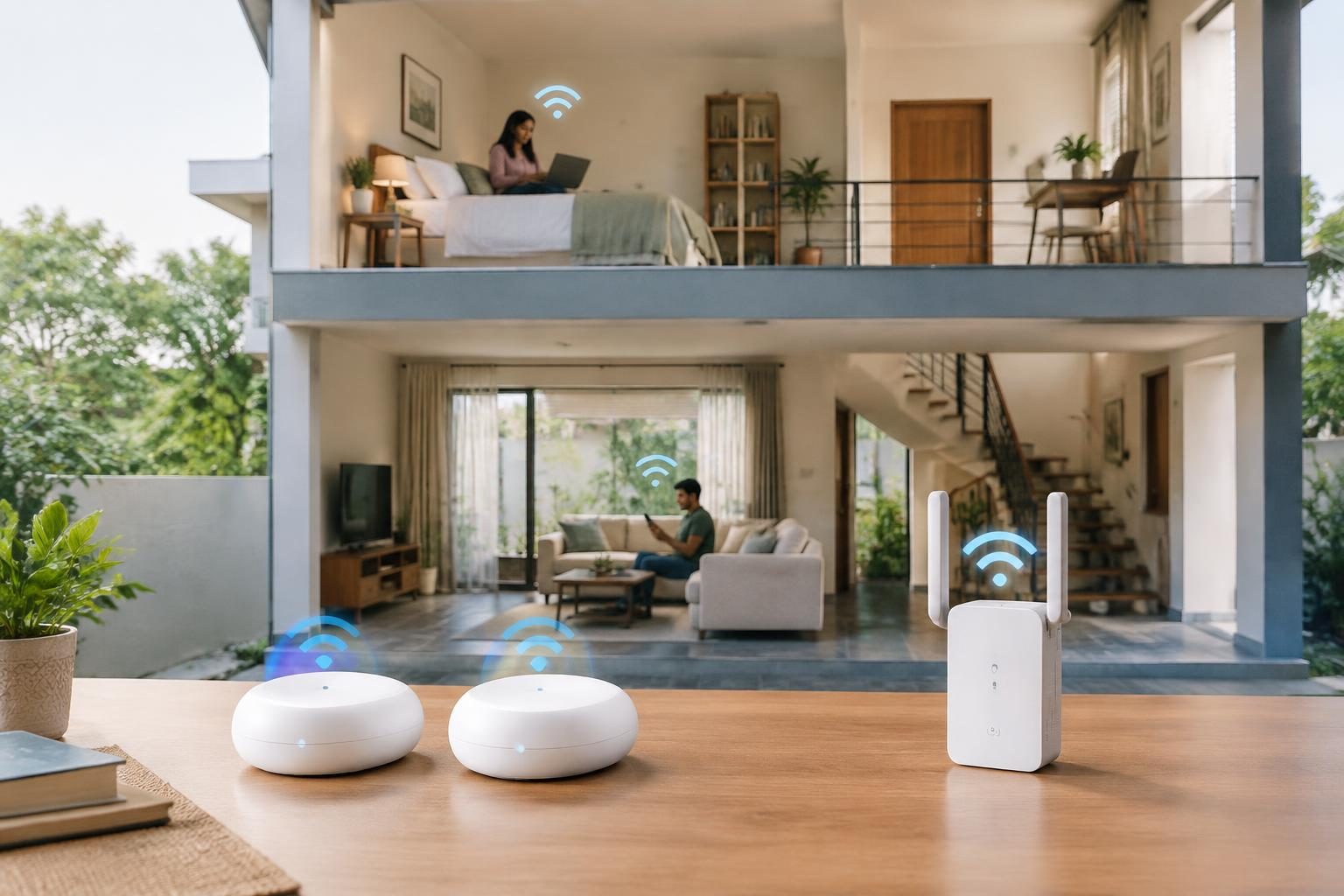
Contents
- What is the key difference between mesh Wi-Fi and a range extender?
- How does mesh Wi-Fi improve coverage in multi-floor homes?
- Can range extenders provide seamless Wi-Fi across two floors?
- What typical setup processes differ between mesh Wi-Fi and range extenders?
- How do mesh networks treat devices compared to range extenders?
- What impact does a range extender have on Wi-Fi speed or performance upstairs?
- How close should mesh points or range extenders be placed to maintain strong connections?
- Can mesh Wi-Fi systems integrate devices from different brands or technologies?
- Comparison Table: Mesh Wi-Fi vs Range Extender for Two-Floor Houses
- Frequently asked questions
- The bottom line
- Sources & methodology
For a two-floor house, mesh Wi-Fi generally offers better coverage, seamless connectivity, and simpler management than Wi-Fi range extenders, which can reduce speed and create separate networks that require manual switching.
What is the key difference between mesh Wi-Fi and a range extender?
Mesh Wi-Fi systems and range extenders differ fundamentally in network design and signal handling.
- Mesh Wi-Fi uses multiple Wi-Fi routers or "nodes" working together as a single network, broadcasting from several points distributed throughout the house. These nodes communicate directly with each other and route data efficiently without relying on a single central router. According to Google support, mesh networks provide multiple sources of connectivity, improving coverage and signal strength [source].
- Range extenders simply receive the router's signal and retransmit it to extend coverage. This creates a secondary wireless access point with a duplicated network, which devices connect to based on signal strength. However, extenders do not form one seamless network and often require manual switching between original and extended networks [source].
How does mesh Wi-Fi improve coverage in multi-floor homes?
Mesh Wi-Fi improves coverage by creating a unified network that broadcasts from multiple points, including on different floors, ensuring consistent Wi-Fi strength throughout the home.
- Because mesh nodes are strategically placed on separate floors, they extend strong signals vertically and horizontally, unlike a traditional router alone.
- They maintain a single network name (SSID), so devices automatically switch to the strongest node without disruption.
- Google Wifi emphasizes that mesh systems provide fast, seamless Wi-Fi across multiple floors [source] and [source].
Can range extenders provide seamless Wi-Fi across two floors?
Range extenders do not typically provide seamless Wi-Fi across multiple floors but can extend coverage to weak-signal areas if placed correctly.
- Extenders transmit a secondary access point with the network often named similarly but technically distinct, requiring each device to manually switch between router and extender networks.
- This can interrupt streaming or calls due to network switching delays.
- To maintain connection quality, extenders need to be within one floor or two rooms of the main router; placing them too far weakens their effectiveness [source] and [source].
What typical setup processes differ between mesh Wi-Fi and range extenders?
Setup processes vary in complexity and management tools between mesh systems and range extenders.
- Mesh Wi-Fi involves installing multiple nodes and allowing them to automatically connect and create a unified network, typically managed through a single app designed to handle network-wide settings.
- Range extenders require manual placement near the router’s coverage edge and separate configuration steps to join the existing network, often involving multiple interfaces or apps.
- This makes mesh setup simpler to maintain over time, especially in larger homes [source] and [source].
How do mesh networks treat devices compared to range extenders?
Mesh networks provide devices with seamless connectivity across all nodes, while range extenders treat devices as connecting to separate networks.
- On a mesh network, devices remain connected to one network name with automatic handoff to the strongest node, ensuring continuous connectivity during movement across floors.
- Devices connecting through extenders may need manual switching between network names and can suffer from momentary disconnections.
- This difference is crucial for activities requiring stable connections like video calls, gaming, and streaming [source] and [source].
What impact does a range extender have on Wi-Fi speed or performance upstairs?
Range extenders generally reduce Wi-Fi speeds and can create performance bottlenecks, especially on upper floors.
- Extenders receive and retransmit signals on the same wireless channel, which can halve the bandwidth available upstairs.
- By contrast, mesh nodes communicate directly and more efficiently using dedicated backhaul connections, preserving speed across different floors.
- Placement of extenders or mesh nodes closer to the router or main node optimizes speed and reduces dropouts [source] and [source].
How close should mesh points or range extenders be placed to maintain strong connections?
Both mesh points and range extenders need to be placed within range of the main signal source but differ slightly in placement flexibility and effect.
- Range extenders must be within two rooms or approximately a single floor of the router or another node to avoid weak signals and frequent dropouts.
- Mesh points are strategically spaced to provide even coverage, often placed in open, central locations to maximize reach. Wired backhaul options in mesh systems can improve connection stability further.
- Proper placement is critical for both to maintain strong and reliable connections [source] and [source].
Can mesh Wi-Fi systems integrate devices from different brands or technologies?
Most mesh Wi-Fi systems require compatible nodes from the same manufacturer or ecosystem for optimised performance.
- Mixing different brands or non-mesh routers may prevent seamless operation or unified management.
- Popular systems like Google Wifi and Nest Wifi Pro offer tight integration within their product lines, ensuring smooth operation and updates.
- Using devices outside the recommended ecosystem might limit some mesh features and network stability [source].
Comparison Table: Mesh Wi-Fi vs Range Extender for Two-Floor Houses
| Feature | Mesh Wi-Fi | Range Extender |
|---|---|---|
| Network Type | Multiple nodes working as a single seamless network | Secondary access point repeating main router’s signal |
| Coverage | Consistent coverage across floors with automatic handoff | Extended coverage but may create dead zones and require manual switching |
| Speed | Preserves speed well via direct node communication and backhaul | Speed reduction common due to repeated signals on same channel |
| Setup Complexity | Set up multiple nodes with unified app management | Manual setup, placement, and network joining for each extender required |
| Device Experience | Devices stay connected on one SSID with smooth transitions | Devices may disconnect or require manual network switching |
| Compatibility | Best with nodes from same brand or ecosystem | Works with any router but limited features and less seamless |
| Placement Guidelines | Strategic node placement throughout home, including upstairs | Must be within two rooms or roughly one floor of router |
Frequently asked questions
What are the key differences between mesh Wi-Fi and range extenders in a two-floor house?
Mesh Wi-Fi uses multiple nodes forming one seamless network, improving coverage and speed. Range extenders repeat signals, create separate networks, and may reduce performance [source].
How does mesh Wi-Fi improve coverage in multi-floor homes?
Mesh systems place nodes on each floor, create one network SSID, and allow devices to switch automatically to the strongest signal, ensuring consistent Wi-Fi access [source].
Can range extenders provide seamless connectivity throughout two floors?
Not usually. Extenders create separate access points needing manual network switching, which can disrupt streaming and calls [source].
What is the typical setup process for mesh Wi-Fi versus range extenders?
Mesh setup involves placing and syncing multiple nodes via a single app. Extenders require manual setup per unit and separate network joining beyond the main router’s setup [source].
Does using a range extender affect Wi-Fi speed or performance on the second floor?
Yes, range extenders often reduce bandwidth by up to 50% because they retransmit on the same channel, resulting in slower speeds upstairs compared to mesh networks [source].
The bottom line
For two-floor homes, mesh Wi-Fi usually outperforms range extenders by providing broader, seamless coverage and better speed retention with simpler network management. Range extenders can be a budget-friendly option for spotty areas near the main router but may lead to slower speeds and manual network switching. Homeowners prioritizing consistent performance across floors should consider investing in a mesh Wi-Fi system.
Explore more on Wi-Fi slow in one room: router placement and coverage fixes and understanding device compatibility for better home setups to optimize your home network.
Sources & methodology
We reviewed the primary references below when checking the time-sensitive facts in this guide. Product features, prices, rules and eligibility can change, so confirm important details with the linked authority before acting.
- What is a mesh network? - Google Home and Nest Help support.google.comGoogle Nest Wifi Pro, Nest Wifi, and Google Wifi are mesh network Wi-Fi systems that deliver Wi-Fi and Matter radio coverage across your home. A mesh network is a group of connectivity devices, such as Wi-Fi routers that act as a single network, so there are multiple sources of connectivity around your house instead of just a single router. Google calls the first mesh device you set up a router, and each additional mesh device a point. Since mesh networks broadcast from each point around your house rather than from a single location, they can provide better coverage over a wider space. Depending on the size of your home, you can add more points for additional Wi-Fi coverage. All points are wirelessly connected to each other. As long as they're within range, they can communicate with each other without the need for a router or switch. This allows for fast and efficient data routing. For those who prefer wired connections, Nest Wifi Pro, Nest Wifi, Google Wifi, and other devices like computers, printers, and TVs can also be connected together with Ethernet cables. ([support.google.com](https://support.google.com/googlehome/answer/7182746?hl=en-419&utm_source=openai))
- What is Google Wifi? - Google Home and Nest Help support.google.comGoogle Wifi is a home mesh Wi-Fi system that replaces your traditional router and provides seamless, reliable Wi-Fi coverage throughout your home. You still need an Internet Service Provider (ISP) and modem to connect to the internet. You can quickly set up multiple Google Wifi devices (also known as "points") to bring the internet right where you want it, like in your office, living room, garage, or basement. Google Wifi is built on our mesh Wi-Fi technology. Once you set up your mesh network, the Google Wifi points create a high-powered connection and work together to make sure your devices stay on the clearest channel with the fastest bandwidth. The result is fast Wi-Fi everywhere in your home, not just right next to the router. You can even roam throughout your home while on a video call or stream a movie without the signal dropping. Google Wifi can create a mesh network only with Nest Wifi and Google Wifi routers and points. If you have a non-compatible router such as a Cisco, Linksys, or Netgear router, it won't mesh with your Google Wifi points. Google Wifi works with most connected wireless devices including tablets, printers, and smart appliances. Although most devices are compatible with Google Wifi, there are a few that aren't. Note: Nest Wifi Pro (Wi-Fi 6E) can't be combined with Nest Wifi routers or points or Google Wifi points (Wi-Fi 5) in a mesh network. ([support.google.com](https://support.google.com/googlehome/answer/7168315?hl=en&utm_source=openai))
- WiFi Extenders Made Simple - Linksys Support support.linksys.comA WiFi Extender is a network device designed to broadcast the effective range of a wireless local area network (WLAN). It functions by receiving the signal from a primary wireless router or access point and retransmitting it, thereby extending connectivity to areas that would otherwise experience weak or no coverage. If your router’s WiFi doesn’t reach certain parts of your house, such as the upstairs bedroom or the back porch, the extender captures the signal and amplifies it, allowing you to stay connected. Although often compared to routers, extenders operate differently. Rather than managing the entire network, an extender establishes a secondary wireless access point that mirrors the primary network. Devices can then connect to either the main router or the extender, depending on which provides a stronger signal. ([support.linksys.com](https://support.linksys.com/kb/article/8892-kr/?utm_source=openai))
- Changing the Operation Mode on your Linksys Range Extender support.linksys.comThe latest Linksys Range Extenders can be set up as access points. When in Access Point mode, they can be easily changed to Range Extender mode, and vice versa. This can be done by changing the Operation Mode in your range extender's web-based setup page. This article will give you instructions on how to switch between the two Operation Modes. These are the Linksys range extenders that have the Operation Mode setting:
- Mesh WiFi Connectivity FAQs - Linksys Support support.linksys.comMake sure your child node is within range of another working node (a parent node or child node with a solid blue light). We’ll help you determine “in range” during the process, but remember to be within two rooms or one floor of a working node and limit walls and obstacles between them. ([support.linksys.com](https://support.linksys.com/kb/article/77-en/?utm_source=openai))